
Portrait game: hold your phone upright or use Full screen.
Landscape game: turn your phone sideways; Full screen is roomier.
About Tintwick
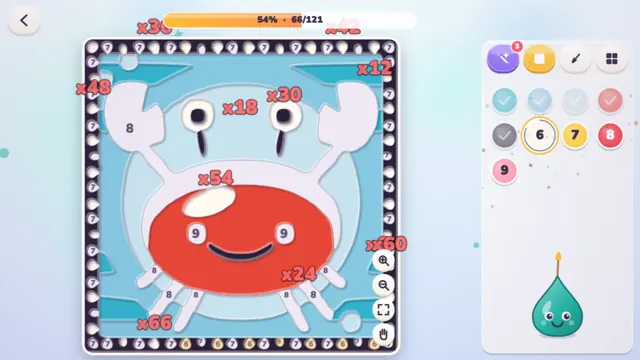
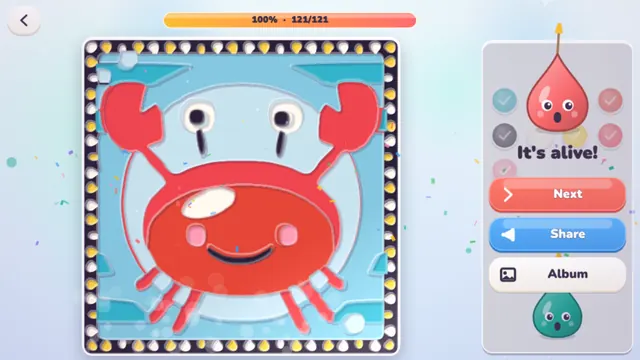
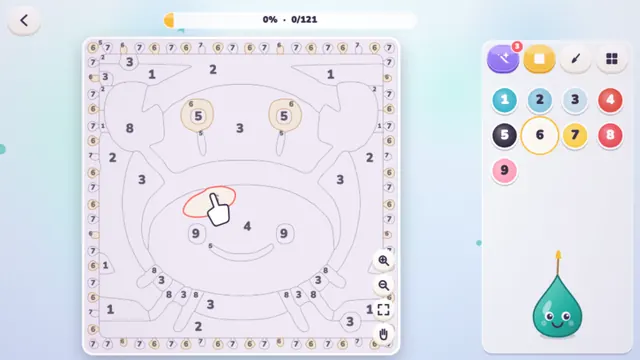
Tintwick is a calm, joyful color-by-number book guided by its mascot Tint. Pick a color from the palette and tap or drag over matching numbered pieces to fill each picture with stickers, paint, or mosaic tiles. Once the last piece is placed, the finished picture comes alive with sweeping light, gentle motion, and sparkles.
Gameplay relies strictly on numbers and colors, so no reading is needed and a wordless tutorial lets you start right away. You can zoom up to 6.5x for tiny pieces, pan with the hand tool, and rely on auto hint or the magic wand whenever you get stuck. A daily picture with streak tracking, 7-day gifts, 14 achievements, a 10-tab album, and PNG image sharing give you plenty of reasons to return.
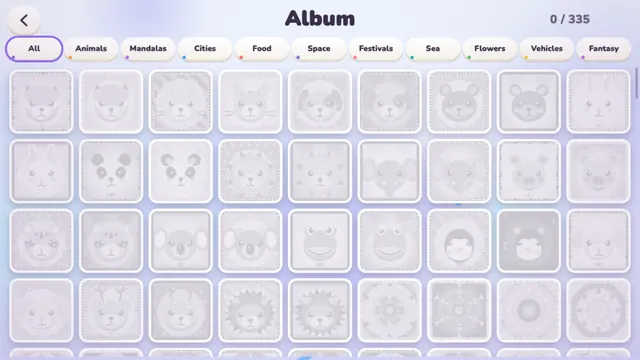
There are 335 pictures across 10 collections: animals (32), mandalas (32), cities (32), food (32), space (33), festivals (36), sea (36), flowers (36), vehicles (33), and fantasy (33). Each picture features 85 to 212 regions with smooth vector borders and 7 to 17 colors. Tintwick plays in both portrait and landscape orientations, and your progress, album, streak, and awards are saved in your browser.
How to play Tintwick
- Choose a picture from any of the 10 album collections or open the daily picture, and switch freely between sticker, paint, and mosaic styles.
- Select a numbered color from the palette. On a keyboard, use the arrow keys or WASD to pick a color or zoom.
- Tap, click, or drag over matching numbered regions to fill them. On a keyboard, press Space or Enter to fill.
- For small details, zoom in up to 6.5x using the zoom buttons, mouse wheel, or pinch gesture, and move around the canvas with the hand tool.
- If a piece is hard to find, use the auto hint to locate it or activate the magic wand to fill regions quickly.
- When every region is filled, enjoy the living animation, share your artwork as a PNG image, and collect daily streak rewards and 14 achievements. Press P to pause.
Controls
Standard Gizo keys work in every game. Touch controls appear on phones and tablets.
Tips and tricks
- Drag smoothly across neighboring pieces with the same number instead of tapping one by one to fill clusters faster.
- On intricate pictures with up to 212 regions, combine 6.5x zoom with the hand tool so tiny corner pieces are easy to reach.
- When one last tiny piece of a color hides on the canvas, use the auto hint or magic wand instead of scanning every edge.
- Try switching between sticker, paint, and mosaic styles across mandalas, cities, or sea scenes to give each picture a different texture.
- Complete the daily picture regularly to keep your streak going, claim the 7-day gifts, and unlock all 14 achievements.
Features
- 335 pictures across 10 collections: animals, mandalas, cities, food, space, festivals, sea, flowers, vehicles, and fantasy (85–212 regions, 7–17 colors).
- Three coloring styles: embossed stickers with peel sounds, brush-textured paint, and mosaic tiles.
- Living completion animations: finished pictures come alive with sweeping light, gentle ripples, sparkles, and collection-specific particles.
- Helpful tools for tiny pieces: up to 6.5x zoom (buttons, mouse wheel, pinch), hand panning tool, auto hint, magic wand, and a wordless tutorial.
- 10-tab album, daily picture with streak tracking, 7-day gifts, 14 achievements, and PNG image sharing.
- No-reading-needed number-and-color play, 25 interface languages (including right-to-left support), offline play, and portrait/landscape layouts.
Look and feel
Guided by mascot Tint, Tintwick brings together 10 themed collections—from animals and mandalas to cities, space, and fantasy—drawn with smooth vector outlines. Embossed stickers, brush-textured paint, and mosaic tiles give each mode a distinct tactile feel, while finished pictures celebrate with rippling details, sweeping light, and collection-themed particles. Four-layer relaxing music, 22 sound effects including sticker peels, and 10 tones round out the calm atmosphere.
Who is it for?
Tintwick is a calm coloring game for players aged 13 and up that uses numbers and colors so no reading is required. There are no ads while actively coloring; rewarded videos are optional, and interstitial ads appear rarely between pictures (none during the first ~6 minutes). There are no real-money purchases; it plays in portrait on phones and landscape on desktop, with progress saved in your browser.
Screenshots
Tintwick FAQ
Is it free?
Yes. Tintwick is free to play in your browser with no download or account required. There are no real-money purchases, no ads while coloring, optional rewarded videos, and only rare interstitial ads between pictures.
How many pictures and collections are there?
There are 335 pictures in 10 collections: animals (32), mandalas (32), cities (32), food (32), space (33), festivals (36), sea (36), flowers (36), vehicles (33), and fantasy (33). Each picture contains 85 to 212 regions and 7 to 17 colors.
What is the difference between the three coloring modes?
Sticker mode fills pieces with an embossed sticker look and peeling sound, paint mode applies a brushstroke texture, and mosaic mode fills each region as mosaic tiles.
What if I cannot spot or tap tiny pieces?
You can zoom in up to 6.5x with the zoom buttons, mouse wheel, or pinch gesture, pan with the hand tool, and use the auto hint or magic wand whenever you get stuck.
Can I play on both phone and computer?
Yes. Tintwick supports portrait mode on phones and landscape mode on desktop, adapts smoothly if you rotate your screen, and works with touch, mouse, and keyboard controls.
Is my progress saved, and can I share finished pictures?
Yes. Completed and in-progress pictures, your 10-tab album, daily streak, 7-day gifts, and 14 achievements are saved automatically in your browser. Finished pictures can also be shared as PNG images.
Which languages are supported, and does it work offline?
Gameplay uses numbers and colors so no reading is needed, while the interface supports 25 languages (including right-to-left languages) with automatic device detection and an in-game switcher. It also works offline once loaded.
Recently played
Your favorites
Games like Tintwick





Tintwick on your phone
Tintwick is built for the browser. Your progress stays in this browser.