Portrait game: hold your phone upright or use Full screen.
Landscape game: turn your phone sideways; Full screen is roomier.
About Memory Pals
The most cheerful animals of the forest and garden are hiding behind the cards. Flip cards, find two of the same friend, collect pairs. You start with the rabbit and the fox; as you play, the hedgehog, owl, bee, turtle and others join your notebook.
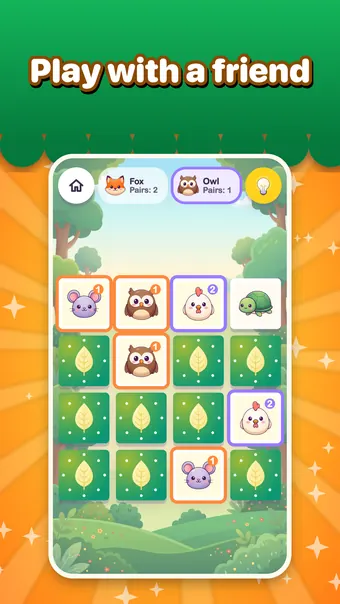
There are three parts: classic memory, Word and Picture, where one card is an image and its pair is the written word, and Two Players, taking turns on one screen. No timer, no penalty; the hint button is unlimited and never costs you stars.
How to play Memory Pals
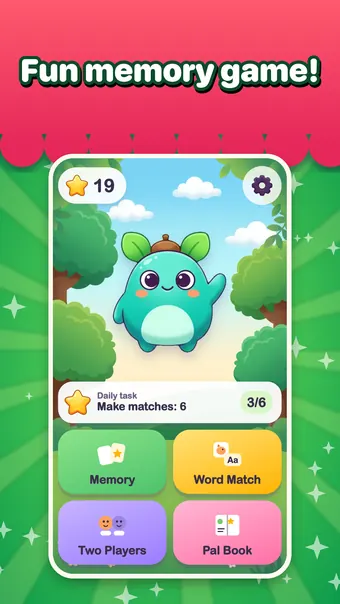
- Pick a mode on the home screen: Memory, Word and Picture, or Two Players.
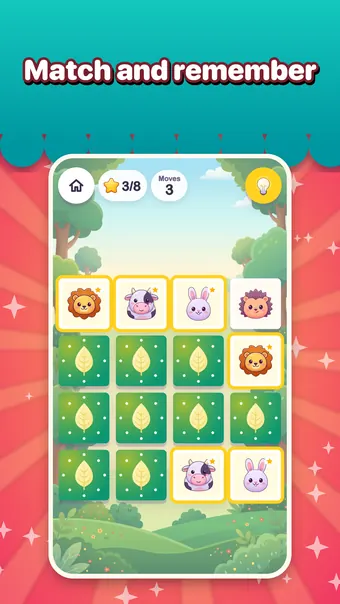
- In Memory, flip two cards. If they match, the pair stays; if not, they flip back. The board starts at 3x4 and grows as you get ready.
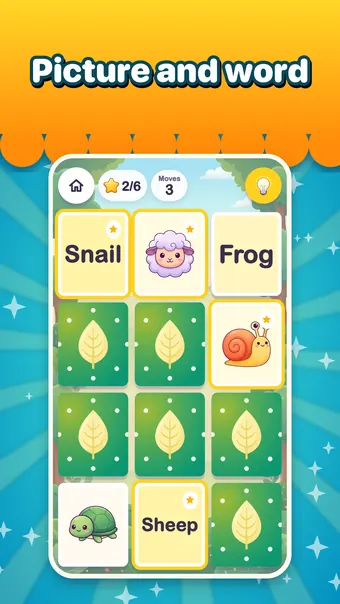
- In Word and Picture, match the picture with its written word. The word is spoken when you match it.
- In Two Players, choose a board size first, then take turns. A matching player keeps the turn.
- Every game earns stars, and stars unlock new animals in the Friends Book.
Controls
Standard Gizo keys work in every game. Touch controls appear on phones and tablets.
Tips and tricks
- Memorise one corner of the board first; remembering positions in small groups is easier.
- When you're stuck, use the hint button. It's unlimited and doesn't lower your stars.
- In Word and Picture, read the word aloud before you match it; it's spoken on a match anyway.
- In Two Players, a small board makes a quick match and a big one makes a long one.
- The daily mission on the home screen gives two stars; it sends no notifications and just waits on its card.
Features
- Three modes: Memory, Word and Picture, Two Players
- 24 animal friends; tap one in the Friends Book to see its name, sound and animated pose
- Memory boards climb in steps from 3x4 up to 4x6
- The game eases itself when a child struggles; the move counter is only information
- Forest and garden themes, plus 'Reduce effects' and 'High contrast' options
- 16 languages, with Arabic right to left
Look and feel
A bright forest and garden: big cards, round corners, cheerful colours. Music and effects are lively but soft, and short voice lines say the animal's name, cheer you on and call 'Your turn!'.
Who is it for?
Made for ages 6 to 8; word cards use large, clear letters for early readers. A game takes a few minutes. No ads, no account, no outside links on the play screens; progress stays in this browser. Settings and purchases sit behind a grown-up gate.
Screenshots
Memory Pals FAQ
Is it free?
Playing on this page is free. In the mobile app, extra animals, themes and the largest board unlock with an optional one-time pack.
Can I play on a phone?
Yes. The big cards play with one finger on phones and tablets.
Is progress saved?
Stars, unlocked friends and the daily mission are stored in this browser. Clear site data and they are gone.
Does it work offline?
The page loads over the internet. Once loaded, the game runs in the browser; reloading needs a connection.
Which language are the words in?
The game language you pick; the 24 words exist in 16 languages. With 'reading help' on in the parent settings, words are always spoken.
Who wins in Two Players?
Nobody sees a 'you lost' screen. When the game ends, both players are rewarded.
Games like Memory Pals


Memory Pals on your phone
This game also exists as a mobile app. Parents can find details on the parents' page. Read the parents' page